Phones and Android radios. One platform.
Designed from the start for both worlds: the supervisor’s phone and the guard’s rugged Android radio run the same app. Real-time push-to-talk over WebRTC, with speaking priority for supervisors, on real mobile networks and even behind restrictive NAT.
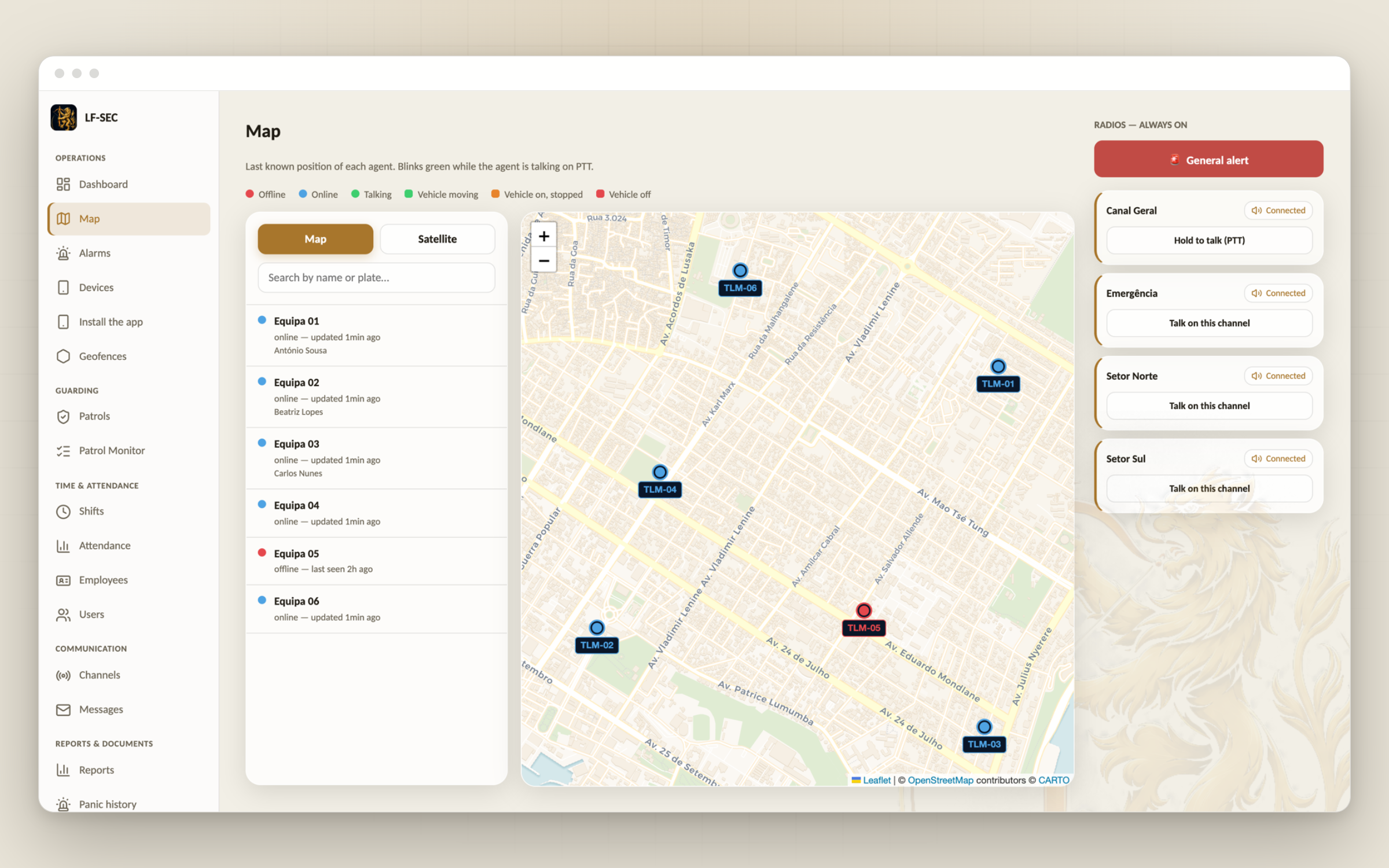
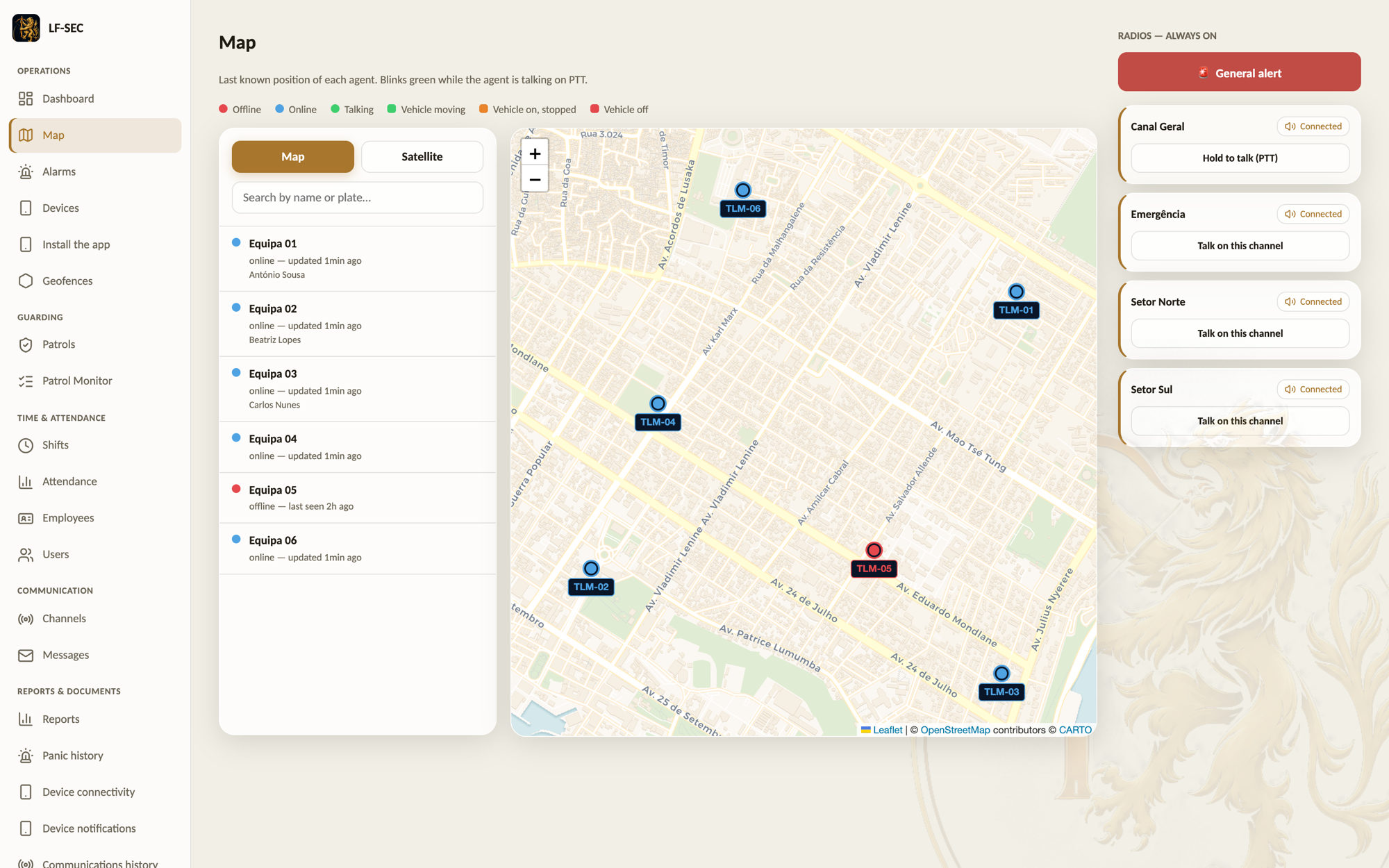
Fleet control on the same map
The operation’s vehicles appear on the map alongside the teams, with live GPS position and movement, assigned to the client or site they serve. People and vehicles on a single operational picture.
Integrates with your ecosystem
LF-SEC does not live in isolation: it integrates the LF Hawk Watch threat layer on the operations map, and LF Vision video surveillance. Operations, risk and cameras converge on one picture.
NFC-verified patrols
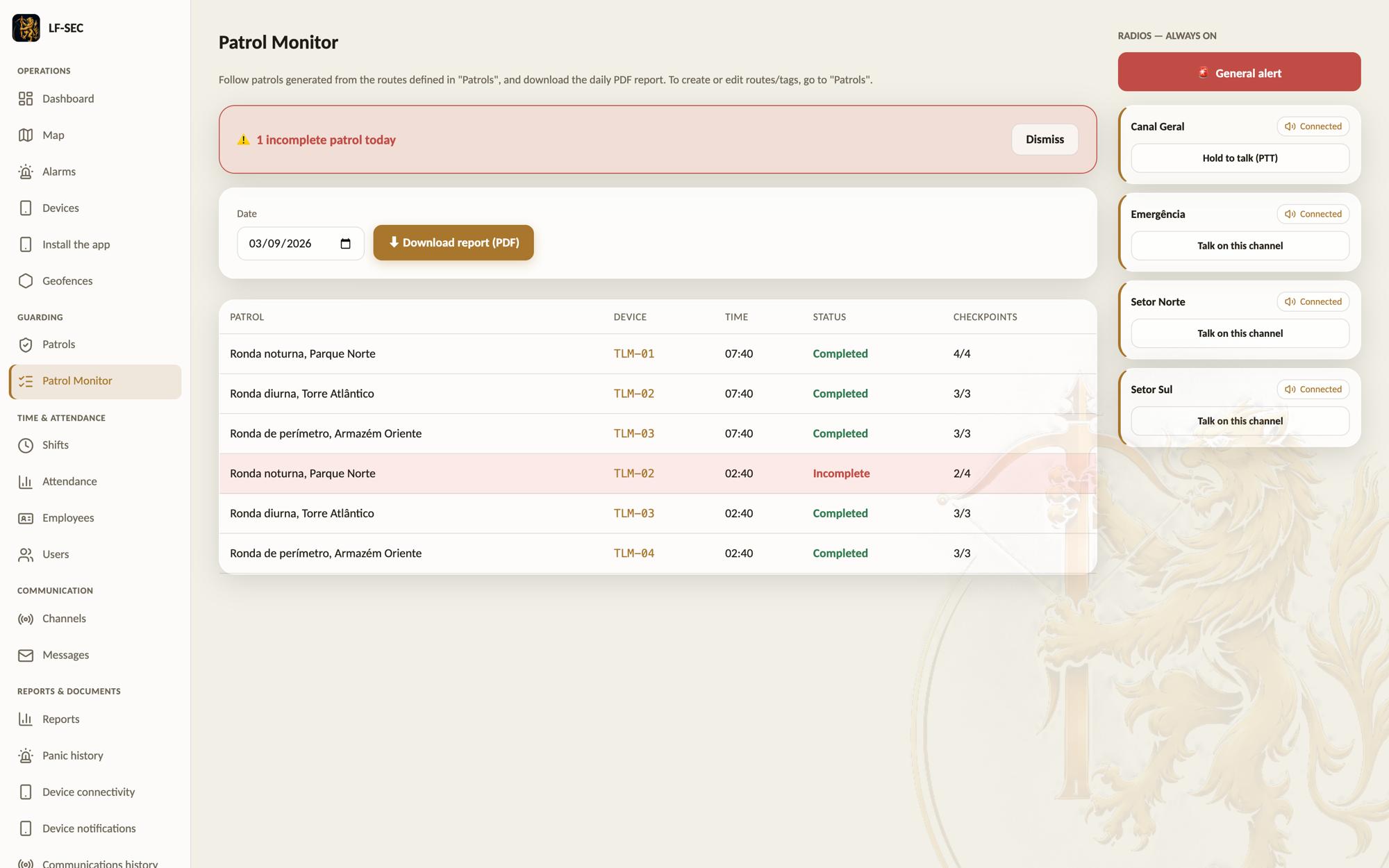
Physical NFC tags on every checkpoint: the guard taps the phone and the pass is recorded, with time, person and place. Scheduled patrols with advance warning and a completion window, plus a daily PDF report as proof of service.
Where every team is, right now
The map shows on-duty devices in real time, to management and coordination, even with the screen locked during patrol. Phones are shared per shift: history follows the person, not the device.
From emergency to response, without hesitation
When an alert fires, the system automatically identifies the nearest mobile team and sends it to the scene, with the route drawn on the map. Seconds of system time, not minutes of phone calls.
Emergency at one touch
An alert reaches every device on the channel immediately, over the real-time data channel, and is recorded on the management side.
Groups and focused communication
Channels and talk groups managed by the operation: per client, per zone or per mission. Each team hears only what concerns it.
Every role sees what it should
Administrator, coordinator, deputy, supervisor and shared device, each with its own reach, from the channels it hears to the patrols it manages.
Document library and reports in the app
The operation’s procedures and forms live in the app, assigned per role: each guard sees only the documents that concern them, with bilingual titles. Incidents, shift handovers and whatever forms the operation needs are filled in on the phone, and every submission is recorded with person and time.
From form to PDF, no desk work
Every submitted report is automatically converted to PDF and management is notified the moment it arrives. The console keeps the full submission history, ready to download and forward to the company or the client.
Attendance and shift duration
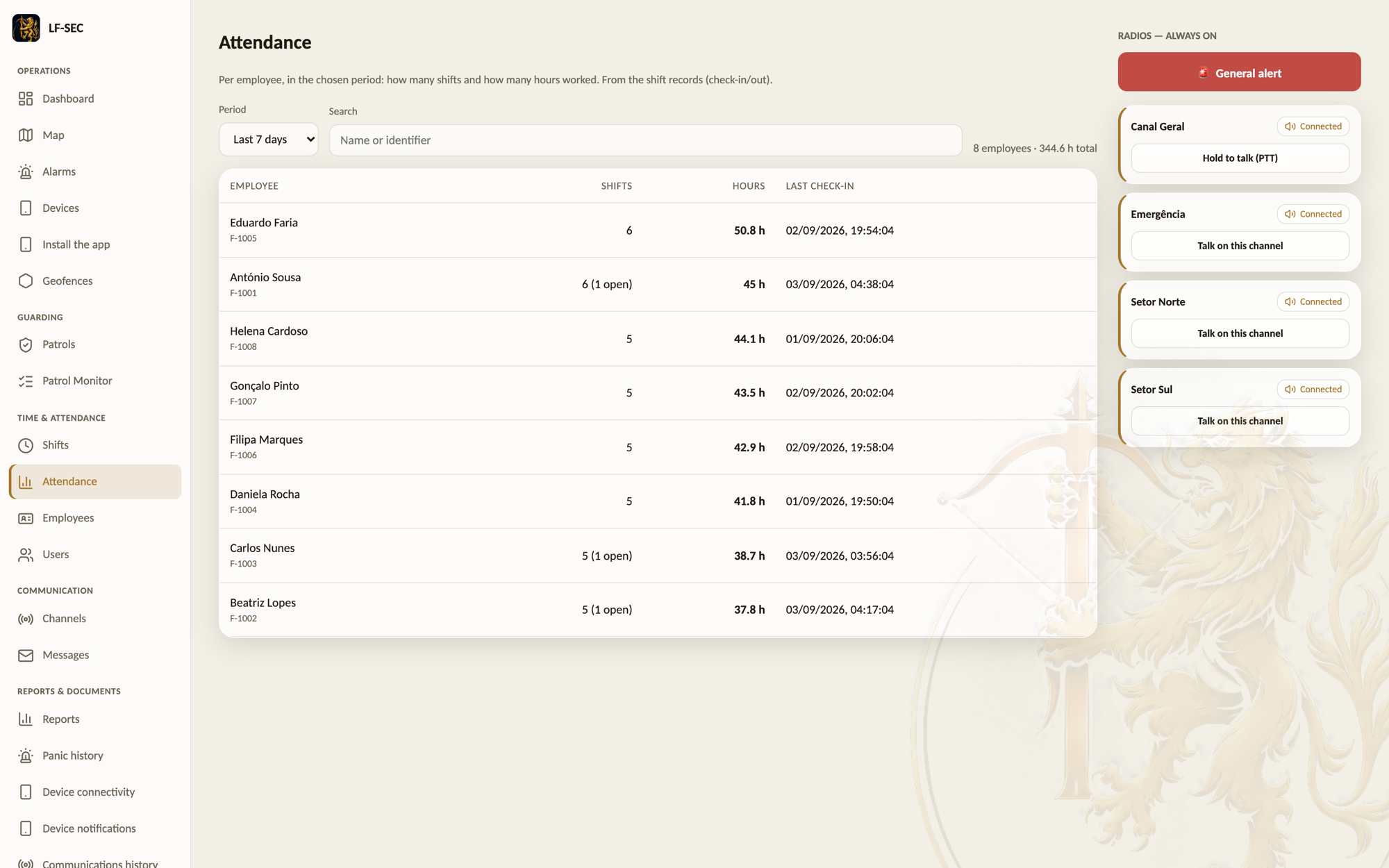
The employee signs on with their own credentials on a shared device and the shift is recorded: start, end and duration, per person rather than per phone. The console shows who is on duty right now and exports a daily sign-in/sign-out report as CSV, ready for Excel.
Shift running too long? End it remotely.
A shift left open for too many hours is flagged automatically in the console. Management can end it from a distance: the device receives the order, closes the session and requires a fresh login, with nobody having to travel to the site.
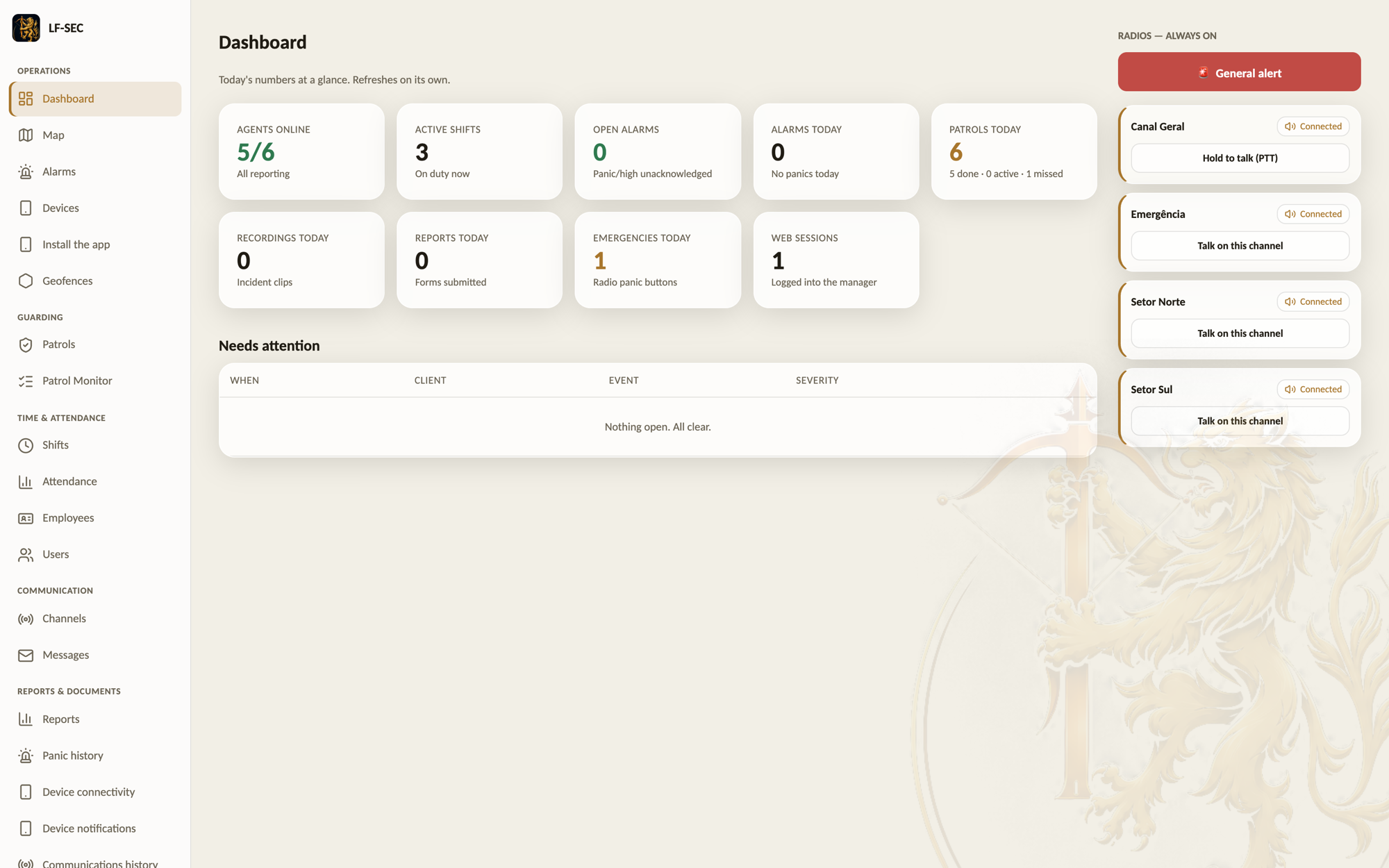
A dashboard that answers before anyone asks
The first screen of the day shows who is on duty, which patrols are running or overdue, how many alerts fired, which devices have gone quiet and what needs attention now. The numbers are today's, not last month's.
Remote assistance to the device, TeamViewer style
A radio playing up at a hard-to-reach site is no longer a trip. The console asks for permission, the guard accepts, and management watches the device's screen live. If needed, it drives the device: tap, drag, back, home. The device shows a permanent red warning for as long as the session lasts, and every session is logged.
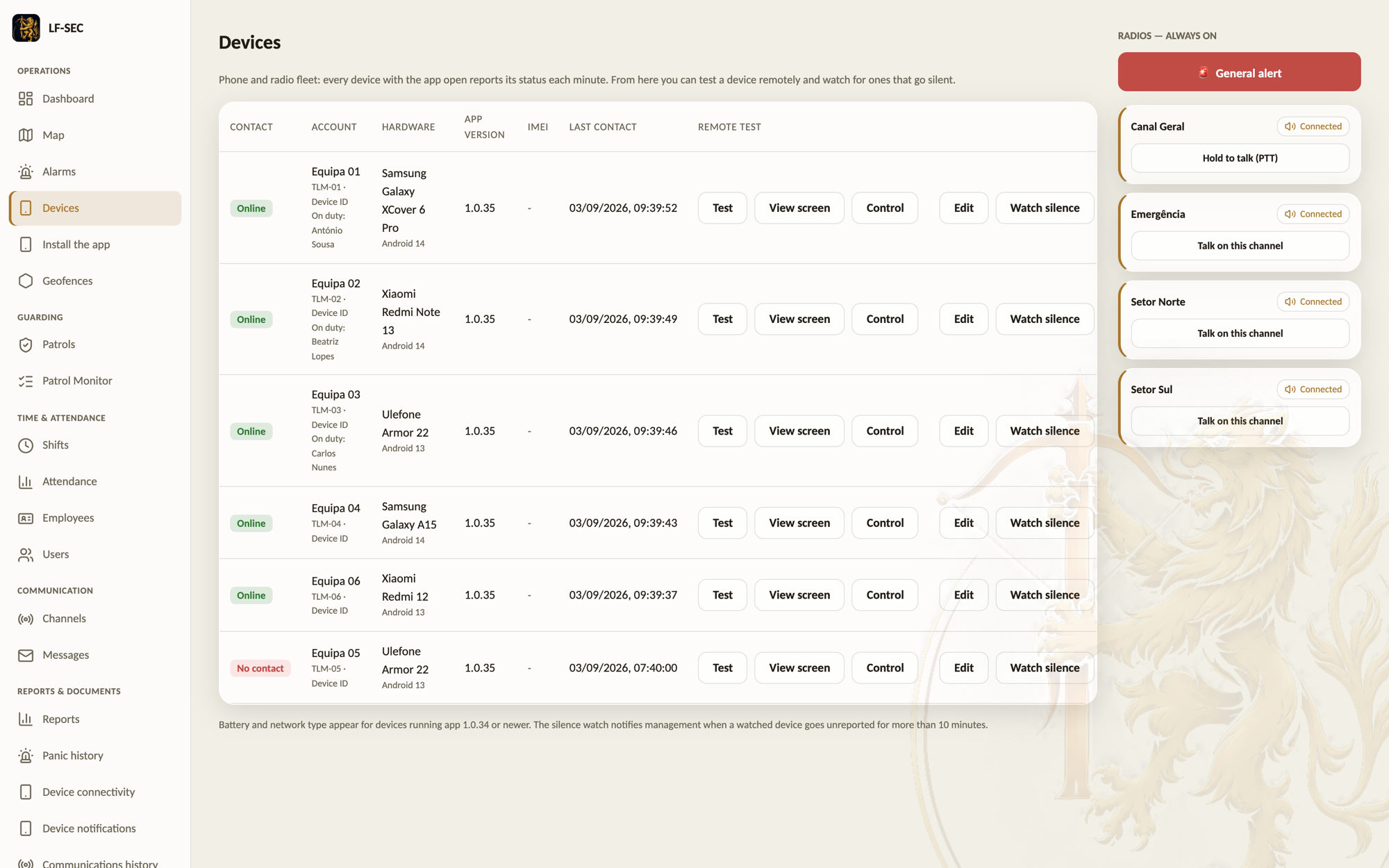
The device fleet under watch
Every phone and every radio reports itself: make, model, Android version, app version, battery and network type. The console warns when a device goes quiet, detects when someone swapped equipment, and can make a device ring and vibrate from a distance to find it or confirm it is alive.
When the device complains, management hears it
If the app catches an error, it sends the report by itself. Device notifications gather on their own screen, with history and a record of what has already been dealt with.
Geofences drawn by hand on the map
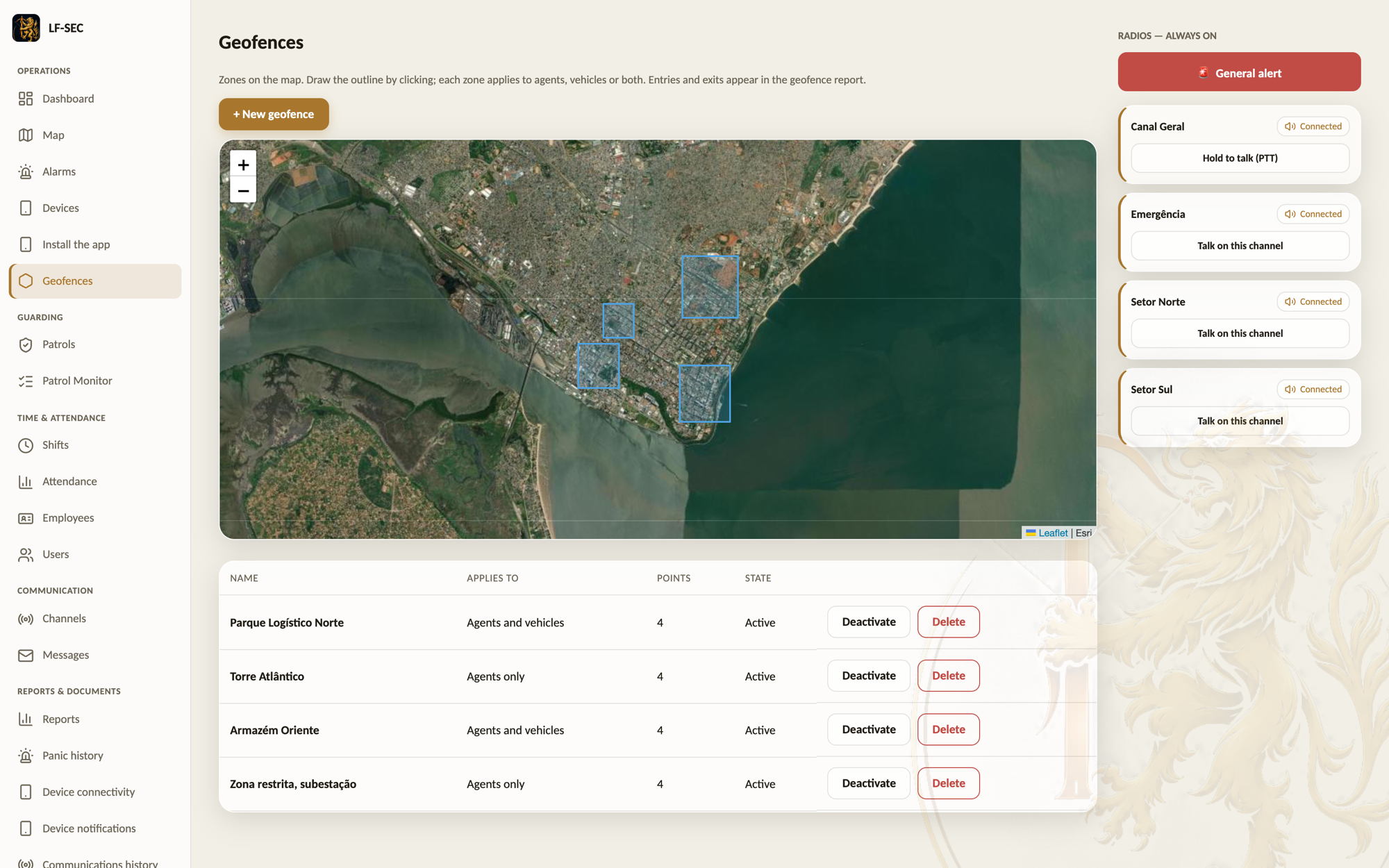
Draw the outline of a client site, a forbidden zone or a perimeter, and the system records every entry and every exit by itself, for both agents and vehicles. The report shows who was where and for how long, without depending on anyone's word.
Over-speeding with nobody watching
Vehicles with tracking enabled are compared against the defined limit and every excess is recorded with time, place and speed. Management is warned as it happens.
Reports that answer the usual questions
Panic alert history, connection history with how long each device spent online and offline, communication history by channel and by person, geofence report, over-speeding and attendance. Each one with period, filters and export.
A thousand employees, one file
Anyone who already keeps employees in Excel does not type them again: import the file, the system shows what it will create, generates the passwords and hands back the credentials as a file to distribute. The vehicle fleet is registered the same way, inside the app.
Incidents recorded by keyword
On the voice channels, a word agreed with the operation starts recording the incident. It is stored, tied to the channel and the time, and available in the console whenever someone needs to know what was said.
Alarm receiving tied to the operation
Client alarm panels that speak the SIA DC-09 protocol talk to the LF-ARC receiving centre, and the alarms received appear in the LF-SEC console next to the teams that will attend them.
The operations center in your browser
Teams on the map, patrols in progress, alerts and documents on one screen. Nothing to install on company computers.
Enterprise-grade security
Two-factor authentication for management profiles, biometric or PIN unlock on mobile, and a session cap per account. The sessions screen shows who is logged in right now and on what kind of device, and ends any session from a distance.
Grows with the company
Start with one team and one client, end with dozens of sites. The licence adjusts as the operation grows.